Loading...
mc.networkforgamers.com
Click to copy IP
mc.networkforgamers.com
A clickable link can be found in the upper left-hand side of any page on this website.
The server version is currently 1.21.8 but will be updating to 1.21.11 within the next two to three months depending on the availability of developer coding updates.
Yes! Java, Bedrock and Playstation can join the server.
First check the following:
If you still have problems connecting, please post in our Discord Bug Reports channel.
NFG MC is an RPG survival server with dungeons. This is not a vanilla server. The Overworld, Nether, and End all feature custom terrain generation and custom ore distribution making all ores rarer.
NFG MC launched on February 9th, of 2026.
Yes, you can join our Discord community at discord.networkforgamers.com
Server Rules as of February 2026. NOTE: Server rules will be updated as needed.
Be respectful, play fair, and help us keep the community fun.
We do not expect to start a new world. The world border will be expanded with major updates to Minecraft.
As of February 2026, the world size is 10kx10k
Ranks are: Knight, Lord, Elder, Hero. Rank perks can be found on our store at: https://minecraft.networkforgamers.com/store/
No!!! All items are acquirable through normal gameplay.
No! Most loot chests are per player. Even if a buried treasure chest has been found by previous player(s), new players can loot the chest as well. Players cannot re-loot the same chest. Loot chests cannot be broken.
Elytra are also per player. Once one player loots the Elytra from an item frame, another player can loot the same item frame for the Elytra. Each player can only loot the same item frame once.
Yes. We have many custom textures and all players must accept the texture pack to join. You may need to adjust your settings to always accept texture packs. It cannot be set to accept at prompt.
You can vote for our server visiting our Vote page or by typing in game chat: /vote
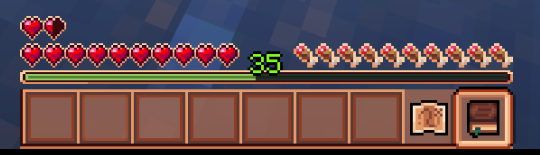
Yes. Type /claiming in chat for the GUI. For other questions, type in chat: /serverguide or you can right click the book item in the 9th slot of your Hot Bar.
For a full list of the custom Enchantments, visit our Wiki page at: https://minecraft.networkforgamers.com/wiki/
How to Change Your Nickname - Knight Rank and Above
Write the following in game chat:
/nick (your existing name) (new nickname)
Use can also add color codes from any Minecraft chart found online. Color and emphasis must be preceded by the "&" symbol.
Example to change your nickname: (name change with color change and emphasis)
/nick Steve &a&lSteveTheGreat
You can sell items to other players through Player Shops or the Auction House.
To list an item at the Auction house, hold item in your action hand and type in chat: /ah sell [item] [amount]
Before heading out again, make yourself a Resurrection Chest.
Your inventory will be saved to the chest on your death.
Many questions can be answered by typing in chat: /serverguide
If you still have questions, you can ask in chat or visit our Discord.
Questions?
Let us know on our Discord server!